- Complete Swift rewrite
- New Generative, ARIB, Grey, and BBC HD pattern families
- Reworked pattern options and settings persistence
- Updated English/French help book
TestCard
Display pixel-perfect professional test patterns on connected displays and projectors, with adaptive patterns, matrix output, and PNG export.
macOS 12.4+
Universal
v4.0
8 patterns
Available through the Mac App Store.
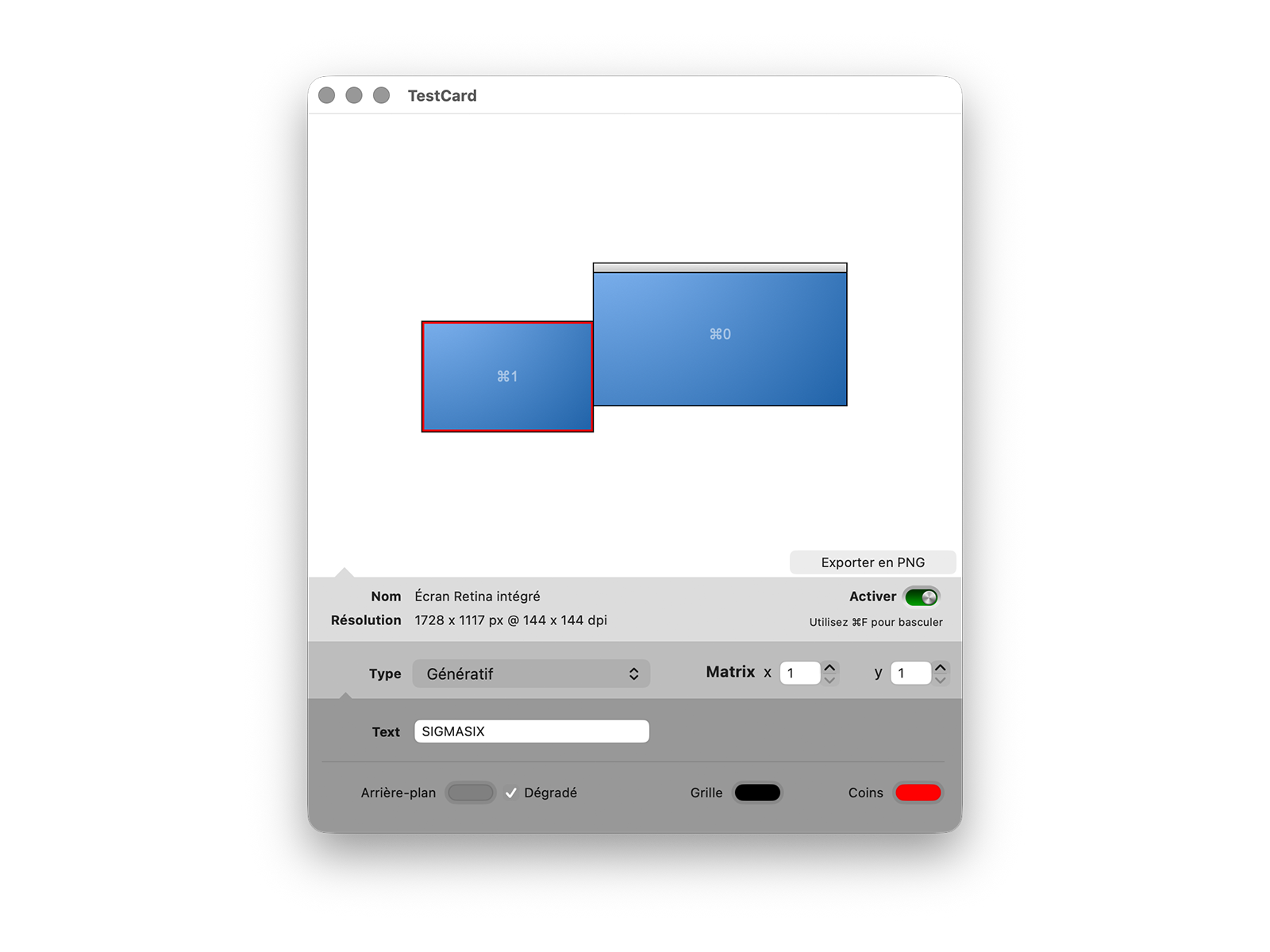
§ 01 — About
Display pixel-perfect professional test patterns on connected displays and projectors, with adaptive patterns, matrix output, and PNG export.
A professional calibration utility for technicians and installers who need to validate geometry, pixel mapping, color, grayscale, gradients, contrast, and multi-output layouts on site.
TestCard puts adaptive, pixel-perfect calibration patterns on any connected display or video projector. Use it to check position, distortion, color, grayscale, contrast, interlacing, gradients, and screen mapping before the show opens.
Version 4 adds a richer pattern set and a more flexible workflow: select a display, choose one of eight pattern types, adjust pattern-specific options, multiply the output with a matrix for video walls or multi-projector rigs, and export custom patterns as PNG files.
§ 02 — Features
Three things it does well.
01
Eight pattern types
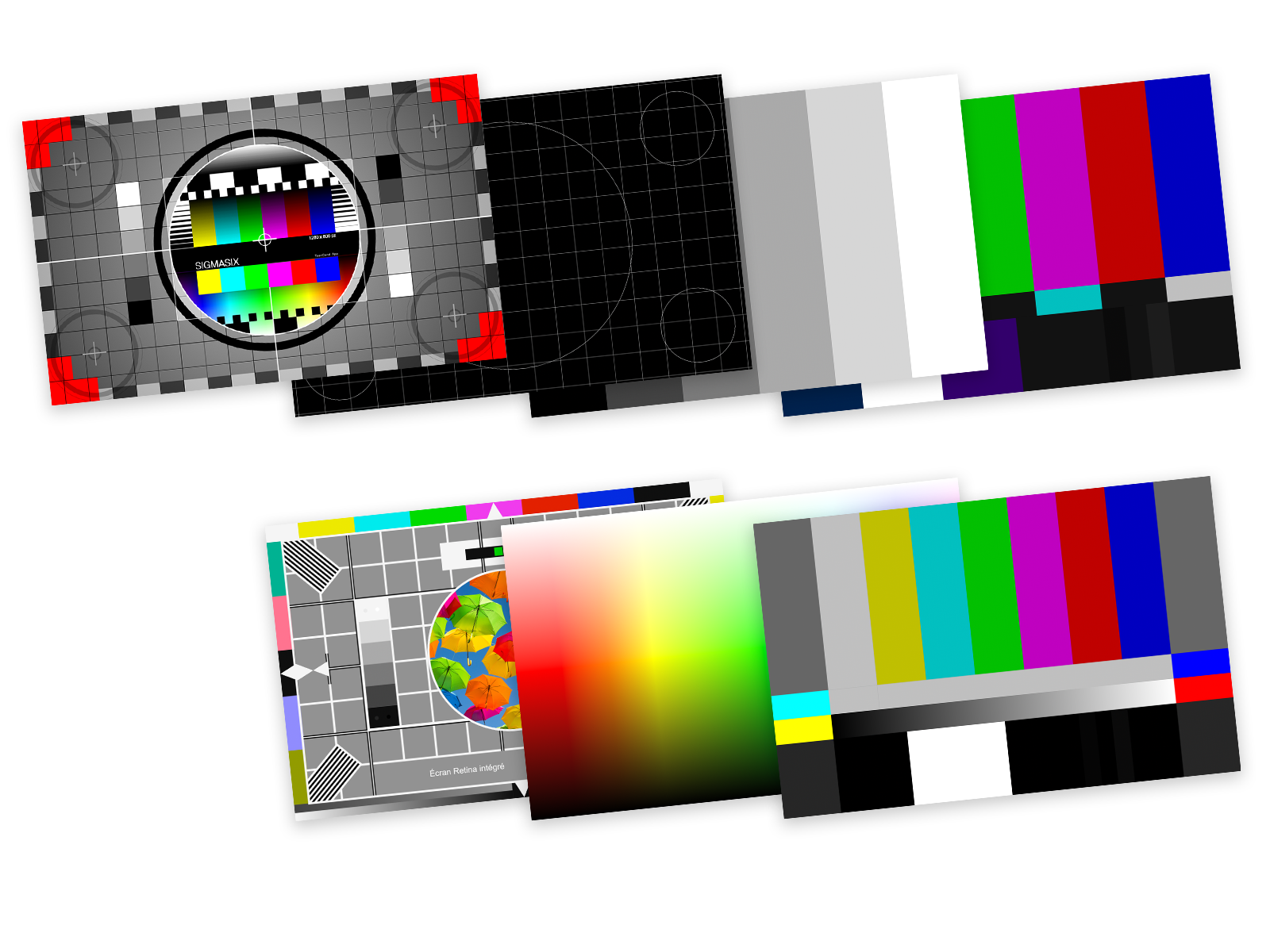
Generative, Grid, Image, SMPTE, ARIB, Spectrum, Grey, and BBC HD patterns cover geometry, color, grayscale, gradients, and broadcast-style checks.
02
Matrix output
Multiply the test card horizontally and vertically for video walls, split outputs, or multi-projector setups such as DualHead2Go and TripleHead2Go rigs.
03
Custom and exportable
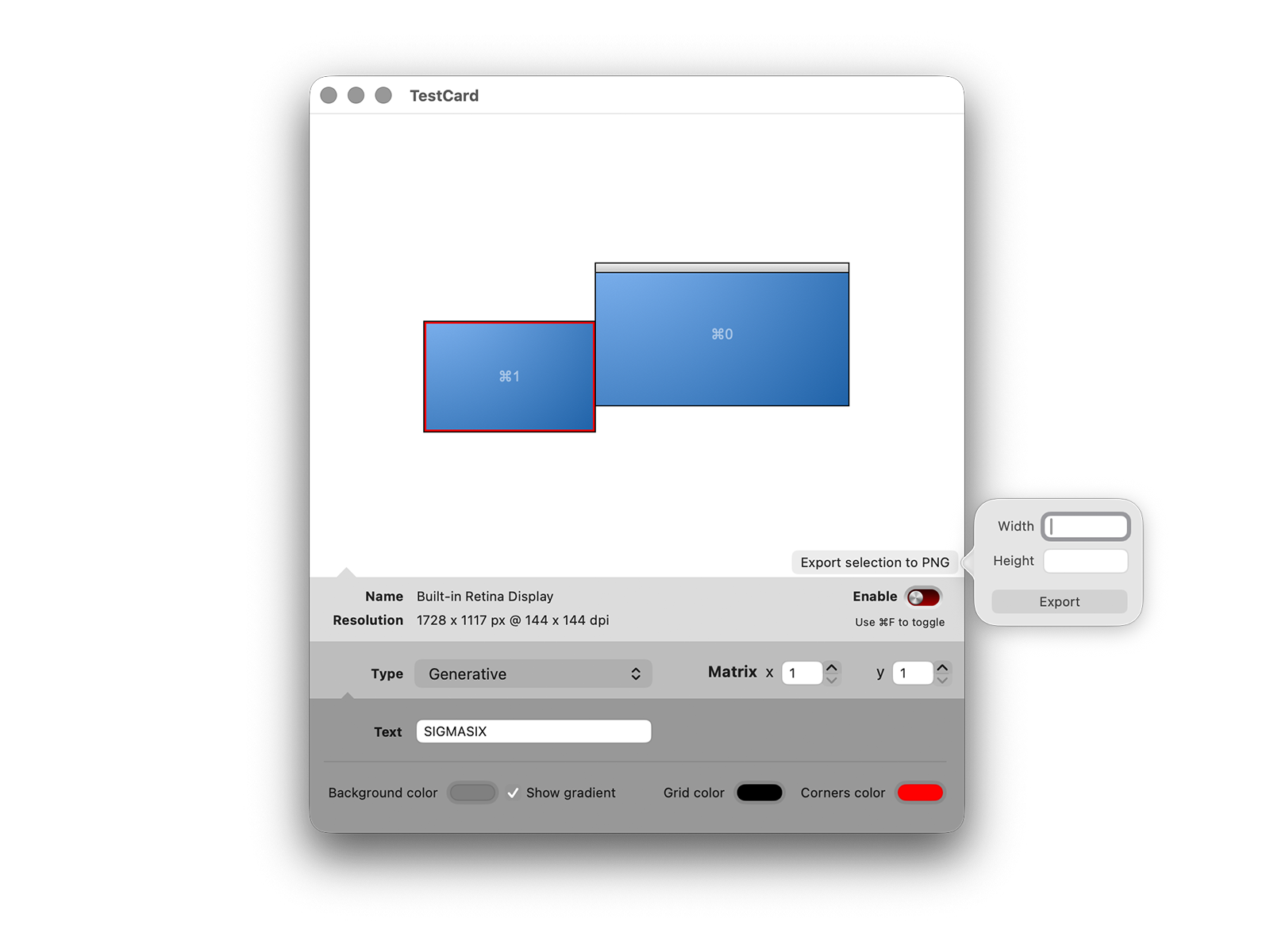
Customize text, colors, grid lines, circles, images, gradients, and grey bands, then export the result as a PNG at the exact resolution you need.
§ 03 — Gallery
Screenshots.
§ 04 — Requirements
What you need.
Operating system
macOS 12.4 or later
Architecture
Universal binary — Apple Silicon & Intel
Patterns
Generative, Grid, Image, SMPTE, ARIB, Spectrum, Grey, BBC HD
Output
Connected displays, projectors, video walls, and matrix layouts
Permissions
None required
Latest version
4.0
§ 05 — Release notes
What's new.
- Added circle options in the grid pattern
- Added the Spectrum pattern
- New SMPTE pattern
- Minor bugfix
- Custom label
- Custom image
- Grid pattern
- PNG export
- Retina optimized
- Multi Screen output
- New interface
- Display informations
- First public release
§ 06 — FAQ
Quick answers.
01 My patterns look slightly blurry on my external display.
TestCard renders patterns at the display's native pixel resolution. If you're seeing blur, the issue is almost always somewhere else in the chain: the cable doesn't support the resolution, the display is scaling, or macOS is sending a non-native resolution to it. Use the geometry grid pattern to check pixel alignment.
02 Can I use my own image?
Yes. The Image pattern lets you drag and drop an image file, then choose how it should fit the display: scale to fit, scale to fill/crop, or stretch.
03 What is the matrix option for?
Matrix output repeats the selected test pattern horizontally and vertically. It is useful when one computer output is split across several projectors or displays, for example on a video wall or a DualHead2Go/TripleHead2Go setup.
04 Can I export a test pattern?
Yes. TestCard can export the current test card as a PNG at custom dimensions, which is useful when you need the same calibration image in another application or media server.
Still stuck? Contact support →
Ready when you are.
Available through the Mac App Store.